

Samsung
Samsung Galaxy Tab S12+ 256GB WIFI Tablet - Grey
Samsung Galaxy Tab S12+ 256GB WIFI Tablet - Grey
Couldn't load pickup availability
Galaxy Tab S12 Plus Wi-Fi
Galaxy Tab S12+ is here - the ultimate tool to support you as you open a new chapter in life. Plus slim and light, with a massive bright display, long-lasting battery and intelligent AI-driven features, Galaxy Tab S12+ is a powerhouse for learning on the move. Fuel your curiosity as Tab helps you explore the information you need with superior performance and intuitive, optimised experiences for note-taking, brainstorming and more. Use the in-box S Pen to make learning more interactive, organise your ideas with ease and work towards your personal goals more effectively.

DESIGN - Thin and light, carry it everywhere.
Galaxy Tab S12+ combines a slim, premium design with a massive screen and the magic of S Pen, making it ideal for studying and work productivity wherever your day takes you. Engineered in a thin and lightweight form, your Tab is portable enough to carry effortlessly to the studio, the office or on your next flight. The expansive 12.6-inch display offers all the space you need to immerse yourself in creativity, learning and multitasking. Plus, the in-box S Pen is comfortable to hold, letting you keep a stable grip while you elevate your ideas further with precise strokes.

Slim and sleek. Signature look.
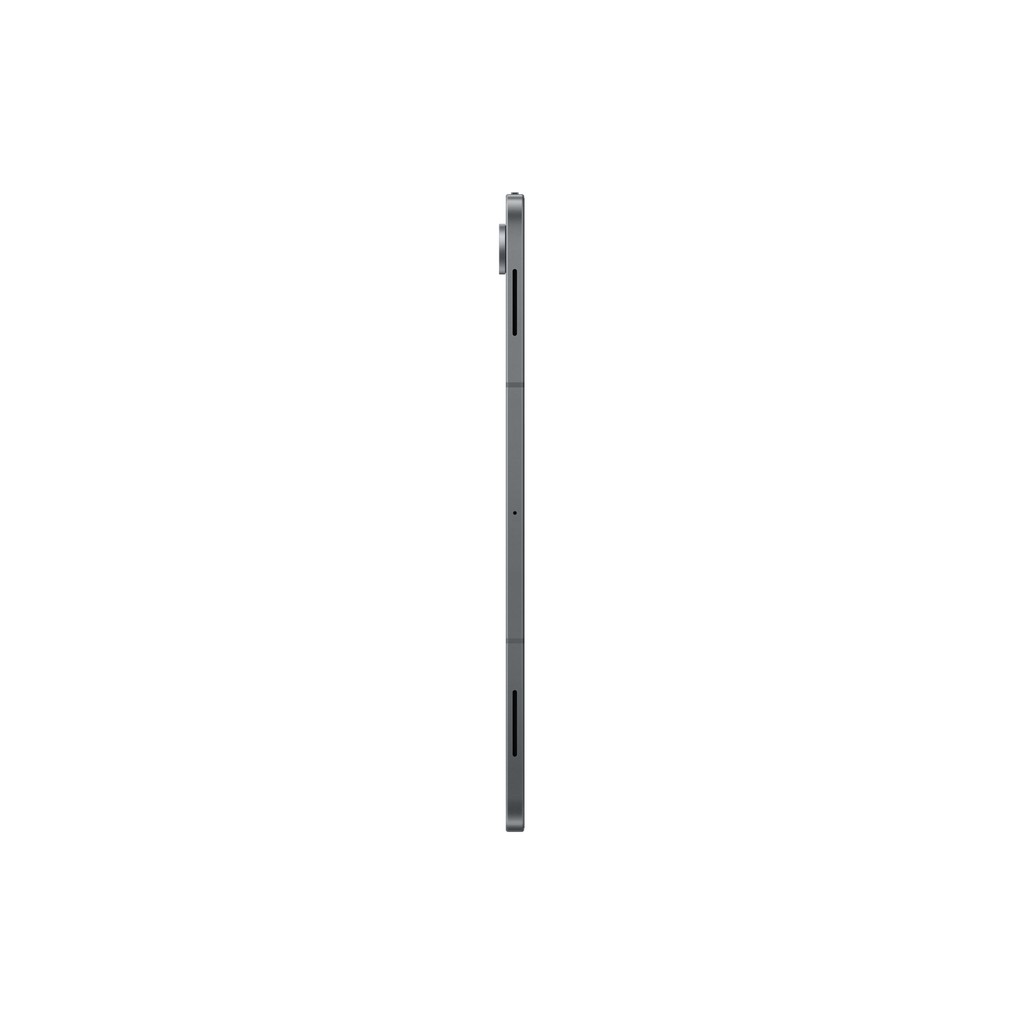
Amazingly thin and light, with meticulously crafted details and two classy colourways - every angle of Galaxy Tab S12+ is a marvel to look at. Even with an incredibly large and bright 12.6-inch display, Tab stays unbelievably slim at just 5.3 mm and weighs only 553 g. Complemented by the hexagon-shaped S Pen, it makes a bold statement anywhere you go. Available in sophisticated Gray and Silver, the iconic design is accentuated by elegant details like the integrated mono-tone finish on the rear camera for a signature look. [4]

S Pen in the box. Write naturally, draw easily.
Creative Studio with S Pen. New ways to create.
Discover exciting ways to use your imagination with Creative Studio on Galaxy Tab S12+ and the hexagonal S Pen. The Galaxy AI-powered creation tool with Nano Banana integration adds more possibilities to generate and refine images, turn drawings into images using S Pen and create personalised images with new templates like invitations, stickers and profile cards. Seamlessly combine sketches, images and text prompts with AI to create unique visual content right on your Tab. Then, use the in-box S Pen to add the final strokes and complete your creations. [5]

Adobe Photoshop. Now on Galaxy Tab for the first time.
For the first time ever available on an Android tablet, Adobe Photoshop arrives on Galaxy Tab S12+, letting you experience pro-grade creativity in your hands. Optimised for Tab's expansive display, Photoshop gives you a spacious canvas for precise editing with a streamlined, easy-to-use layout. It works well with S Pen, too, including instant access to Quick Tools, letting you adjust settings in a flash. And with low-latency responsiveness, every stroke feels smooth and intuitive. Edit high-resolution images, create digital artwork or fine-tune designs wherever creativity takes you. [6]

Notability. Optimised notetaking with S Pen.
Turn your thoughts into polished notes with premium note-taking tools available in Notability on Galaxy Tab S12+. Optimised for use with the S Pen, Notability delivers a smooth, low-latency writing experience that feels natural from the first stroke. Use Quick Tools to switch pens, adjust settings, and keep ideas flowing as you write, sketch, annotate PDFs, or organise class and meeting notes on the expansive 12.6-inch display. From study sessions to creative planning, your bright ideas stay clear and ready to share. [7]

One charge. 21 hours.
Equipped with a long-lasting 10600 mAh battery, Galaxy Tab S12+ lets you spend your time learning something new without worrying about battery life. With support for up to 21 hours of video playback on a single charge, the large-capacity battery gives you the freedom to stay productive from morning to night, whether you're making the most of your commute or studying at a coffee shop after work. And when it's time to recharge, Super Fast Charging 2.0 gets you back to what matters with less waiting. [8]

Our biggest display. Our brightest Dynamic AMOLED 2X display.
See your bold ideas come to life on the massive 12.6-inch Dynamic AMOLED 2X display of Galaxy Tab S12+, delivering brilliant visuals both indoors and outdoors. Paired with a slim bezel, the screen offers an immersive viewing experience - whether you are sketching concepts in the park, editing creative projects in the studio or streaming your favourite shows at home. The upgraded Seamless Vision Booster automatically adjusts the contrast and colour to match your surroundings for a brighter and clearer picture, even in direct sunlight. [9]


Super fast. Our 3D Vapor Chamber keeps it that way.
Engineered to handle intense workloads, Galaxy Tab S12+ features an advanced processor and upgraded 3D Vapor Chamber, delivering next-level speed while staying cool under pressure. The improved CPU, GPU and NPU effortlessly accelerate your flow - from rendering rich graphics and handling heavy multitasking to letting you enjoy AI-enabled experiences and everyday entertainment. With an enhanced thermal system that dissipates heat faster, you can edit high-resolution videos, collaborate on demanding projects or dive into gaming with reduced throttle. [10]


Now Nudge. Multi Window. Keep learning in flow.
Now Nudge and Multi Window let you complete tasks quickly with intuitive follow-up actions on Galaxy Tab S12+. Powered by Galaxy AI, Now Nudge understands the context on your screen and provides real-time action suggestions to complete tasks, reducing the steps you need to take. Whether it's adding an event to your calendar, pinning a location or suggesting a reply, it knows what you need even before you ask. Selecting an action automatically launches apps in Multi Window by pairing them together onscreen, so you can seamlessly complete your task with both app windows in sight. [11]

Dynamic AI Agents. Flexible assistance, your way.
Get instant help whenever inspiration strikes with easy access to Dynamic AI Agents on Galaxy Tab S12+. With support for Bixby, Gemini and Perplexity, you can seamlessly switch between AI agents and choose the one that best matches your needs. Launch effortlessly by long-pressing the side button on your Tab, by tapping the Galaxy AI Key on the keyboard or just by saying a wake word. One simple action brings you the AI assistance you need to boost your productivity, generate creative ideas, draft emails, organise projects and more. [12]

Hours of notes. Summarised in seconds.
Stay focused on what matters with useful note summaries using Note Assist on Galaxy Tab S12+. In the Samsung Notes app, simply tap the Galaxy AI button and select Summarise to turn lengthy notes into a concise overview. The summary appears in a convenient split-screen view on the right, letting you review the key points alongside your original notes. Choose between Standard or Detailed summaries, then copy, replace or add the summary to your note for easy organisation and follow-up. [13]

Your essential apps. Designed for Galaxy Tab.
Galaxy Tab S12+ comes preloaded with apps like Photoshop, Notability, Goodnotes, LumaFusion, Clip Studio Paint and Notion, making it easy to design, annotate, take notes, edit, draw and stay organised from the start. You'll also have access to optimised apps like MyScript Notes, MyScript Math, Noteshelf 3 and ArcSite, all designed to run smoothly and enhance your creative experience. [14]

4-channel audio system. Sound that surrounds you.
Experience rich, immersive spatial sound with Galaxy Tab S12+'s 4-channel audio system, wherever you watch, play or listen. The powerful 4-speaker system creates a wide and lifelike soundstage with balanced, room-filling audio that makes movies and music feel all around you. Whether you're streaming your favourite series, joining a concert livestream or taking a break with a podcast, the audio system detects the source and automatically adjusts sound settings to provide a clear, full and engaging experience without needing external speakers.

Samsung DeX. Learn smarter with PC-like productivity.
Samsung DeX transforms your Galaxy Tab S12+ into a PC-like desktop, offering a seamless multitasking environment with up to 4 workspaces. See a thumbnail preview of each workspace on the top of your Tab's screen, move apps freely between workspaces or remove them easily to keep your workflow smooth. To use multiple apps simultaneously, just snap one of them to one side of the screen and Tab will recommend a list of apps to pair it with from your recently used apps history. [15]

Built to resist water and dust.
With IP68-rated protection against water and dust, Galaxy Tab S12+ is built to withstand whatever the day throws its way. [16]

One UI fits all.
Optimised especially for Galaxy Tab S12+, One UI 9 helps everything flow more smoothly with a customisable home screen and multi-window views. The supporting two-way and three-way split views allows you to freely shift between windows with just a tap. [17]

7x OS and security upgrades. Built to last.
Keep your Galaxy Tab S12+ supported and secure with up to 7x OS upgrades and security updates, so you can enjoy long-term use with peace of mind. [18]

Samsung Care+. Secure your peace of mind.
Safeguard your Galaxy Tab S12+ with ultimate device protection including unlimited repairs that cover drops, spills and mechanical breakdowns plus Theft and Loss Coverage.

Galaxy Tab and Phone. Working as one.
Move effortlessly between your Galaxy devices to spend more time learning, creating and exploring.[19]

1. *Image simulated
2. *Contains AI-generated images with edits.
*Measured diagonally, Galaxy Tab S12+'s screen size is 12.6 inch in the full rectangle and 12.5 inch accounting for the rounded corners. Actual viewable area is less due to the rounded corners.
*Dynamic AMOLED 2X display on Galaxy Tab S12+ have maximum brightness of 1600 nits, and outdoor brightness of 1000 nits in High Brightness Mode.
3. *Contains AI-generated images with edits.
*Galaxy Tab S12+ and the included S Pen are rated IP68 under IEC standard 60529. Based on lab test conditions submersion in up to 1.5 meters of freshwater for up to 30 minutes (IP68). Not advised for beach or pool use. Water and dust resistance of device is not permanent and may diminish over time because of normal wear and tear.
*Dust resistance rating is tested under lab conditions by a third party: 2 kg of talc powder (max. diameter of 0.05 mm) per cubic meter was blown into a test chamber housing the device (air pressure within device kept below surrounding air) for 2 hours. Rated IP6X. Dust resistance may vary by actual usage conditions.
4. *Colour and model availability may vary depending on country, region or carrier.
5. *Creative Studio feature requires a network connection and Samsung Account login. Service availability may vary by country, language or device model. The accuracy and reliability of the generated output is not guaranteed. Sticker sets only compatible with Samsung keyboard and can only be shared via Quick Share feature with other Galaxy devices that have One UI 5.0 or later installed and Quick Share app version 13.8.50.x or later.
*AI-generated elements included in the image.
6. *Adobe Photoshop comes preloaded on Galaxy Tab S12+ in the Galaxy Picks folder.
*Adobe Photoshop for Tablet will be launched exclusively in the Galaxy Store for a period of at least six months starting Oct 7, 2026, after which Adobe may launch the app in other app stores. Galaxy Tab S12+ users are eligible to receive a 4-month free Adobe Photoshop premium mobile subscription, including 100 monthly generative credits.
*AI-generated elements included in the image.
7. *Notability comes preloaded on Galaxy Tab S12+ in the Galaxy Picks folder.
*Galaxy Tab S12+ users are eligible to receive a 6-month free Notability subscription.
*AI-generated text included in the image.
8. *Typical value tested under third-party lab conditions. Typical value is the estimated average value considering the deviation in battery capacity among the battery samples tested under IEC61960 standard. Rated (minimum) capacity is 10392 mAh.
*Based on Samsung internal lab test conditions with pre-release version of given model connected to earphone via Bluetooth under default settings over LTE. Estimated against battery capacity and measured current over battery power consumption during video playback (video file resolution 720 p, saved on device), respectively. Actual video playback times vary by network connection, settings, file format, screen brightness, battery condition and other factors.
*Super Fast Charging speed may vary depending on charging conditions and other factors.
*Using the original Samsung data cable is recommended.
*AI-generated text included in the image.
9. *Compared to previous Galaxy Tab S Plus models.
*Model availability may vary depending on country, region or carrier.
*Measured diagonally, Galaxy Tab S12+'s screen size is 12.6 inch in the full rectangle and 12.5 inch accounting for the rounded corners. Actual viewable area is less due to the rounded corners.
*Galaxy Tab S12+ supports peak brightness of 1600 nits and outdoor brightness of 1000 nits in High Brightness Mode.
10. *The enhanced performance figures are based on a comparison of Galaxy Tab S12+ to Tab S10+
*The 3D vapor chamber on Galaxy Tab S12+ helps heat dissipate faster and more efficiently compared to the flat vapor chamber on Tab S10+.
*Actual performance will depend on user environment, conditions and pre-installed software and applications.
11. *Now Nudge feature requires a Samsung Account login. Available functions and features may vary by country, region and language. Text message prompts available with certain third party messaging apps including Samsung Messages, Google Messages, Google Chat. Split view supported apps may vary. Share photos in Now Nudge works by analysing available image content. Accuracy of results is not guaranteed.
12. *Pro Keyboard and Book Cover Keyboard Slim sold separately. The products are available for Galaxy Tab S12 Series. Features and keyboard layout may vary by country, language and device model. Galaxy AI Key can be assigned for select apps only. Pressing Alt + Galaxy AI Key provides the option to switch the AI assistant to Bixby, Gemini or Perplexity.
*A network connection is required to use Bixby, Gemini or Perplexity. To launch Gemini using the Galaxy AI Key, Google Assistant needs to be updated to Gemini.
*AI-generated text included in the image.
13. *Note Assist feature requires a Samsung Account login. Available functions and features may vary by country, region and language.
*AI-generated text included in the image.
14. *App availability, benefits, terms may vary by country or region. Clip Studio Paint membership required. First-time users can receive a 6-month free trial, after which a paid subscription is required. First subscription eligible for 20% discount. Notion, Notability apps require download from Galaxy Store. Goodnotes, Notion, Notability include free periods of 1 year, 1 month (Business trial for 1 new workspace) and 6 months, respectively. Continued use of Goodnotes or Notability may require additional purchases after the free period. Adobe Photoshop mobile app free trial subject to Adobe's standard terms and conditions. LumaFusion preloaded as a stub; tap icon to complete purchase from Galaxy Store. Galaxy device users receive 66% Galaxy Store discount and 30-day free Creator Pass subscription. Offer valid until Dec. 31, 2027.
*AI-generated text included in the image.
15. *Image simulated for illustrative purposes.
*Up to four workspaces available, with a maximum of five apps open simultaneously in each.
*Certain apps may not run or require a separate license (for purchase) on Samsung DeX.
*AI-generated text included in the image.
16. *Galaxy Tab S12+ and the included S Pen are rated IP68 under IEC standard 60529. Based on lab test conditions submersion in up to 1.5 meters of freshwater for up to 30 minutes (IP68). Not advised for beach or pool use. Water and dust resistance of device is not permanent and may diminish over time because of normal wear and tear.
*Dust resistance rating is tested under lab conditions by a third party: 2 kg of talc powder (max. diameter of 0.05 mm) per cubic meter was blown into a test chamber housing the device (air pressure within device kept below surrounding air) for 2 hours. Rated IP6X. Dust resistance may vary by actual usage conditions.
17. *Compared to previous Galaxy Tab S models.
*App arrangement based on the European model. App arrangement may vary by country or region.
18. *Availability and timing of OS upgrades and security updates may vary by device model and market. Go to feature
19. *Galaxy S26 Ultra sold separately.
20. *Accessories sold separately.
21. *Performance compared to Galaxy Tab S10+. Actual performance may vary depending on the user environment and pre-installed software.
22. *Compared to earlier models with flat vapor chamber design.
*Cooling performance may vary based on actual workload and environmental factors.
23. *Memory and storage options and availability may vary by country, region or carrier. Actual storage availability may vary depending on pre-installed software. MicroSD card sold separately.
24. *Galaxy Tab S12+ is rated IP68 under IEC standard 60529. Based on lab test conditions submersion in up to 1.5 meters of freshwater for up to 30 minutes (IP68). Not advised for beach or pool use. Water and dust resistance of device is not permanent and may diminish over time because of normal wear and tear. Dust resistance rating is tested under lab conditions by a third party: 2 kg of talc powder (max. diameter of 0.05 mm) per cubic meter was blown into a test chamber housing the device (air pressure within device kept below surrounding air) for 2 hours. Rated IP6X. Dust resistance may vary by actual usage conditions.
25. *Measured diagonally, Galaxy Tab S12+'s screen size is 12.6 inch in the full rectangle and 12.5 inch accounting for the rounded corners. Actual viewable area is less due to the rounded corners.
26. *Typical value tested under third-party laboratory conditions. Rated (minimum) capacity is 10392 mAh for Galaxy Tab S12+. Actual video playback times vary by network connection, settings, file format, screen brightness, battery condition and many other factors. Fast Charging speed may vary depending on charging conditions and other factors. 45W Travel Adapter is sold separately.
27. *Seamless Vision Booster continuously helps optimise brightness and contrast according to surrounding lux levels in real time.
28. *Dolby Atmos and multi-channel audio format compatibility may vary depending on the streaming platform, region and media file format. Audio optimisation is designed for immersive listening experiences in indoor environments.
29. *Samsung account login may be required to use certain AI features.
*Samsung does not make any promises, assurances or guarantees as to the accuracy, completeness or reliability of the output provided by AI features.
*Availability of Galaxy AI features may vary depending on the region/country, OS/One UI version, device model, and phone carrier.
*Galaxy AI basic features provided by Samsung are free. Future releases may include enhanced features or new services that are offered on a paid basis. Different terms may apply for AI features provided by third parties. Galaxy AI basic features are those services listed under "Advanced intelligence" in the current Samsung Services Terms and Conditions.
*Galaxy AI service may be limited for minors in certain regions with age restrictions over AI usage.
30. *Samsung Account login and internet connection may be required to use certain AI features. AI assistant can be customised based on user preferences.
31. *Ask anything is supported in designated countries (including US, KR) and supports 8 languages (Korean, English, German, French, Italian, Spanish, Portuguese, Japanese). Samsung Account login and network connection are required.
32. *AI Automation features may vary depending on partner application APIs and regional terms. Samsung does not make any promises, assurances, or guarantees as to the accuracy, completeness, or reliability of the output provided by AI features.
33. *Now Brief feature requires internet connection and account linkage with supported third-party applications (YouTube, Spotify, Netflix). Actual UI/UX may vary.
34. *App availability, benefits, terms may vary by country or region. Clip Studio Paint membership required. Available pre-installed in select markets or via Galaxy Store. First-time users can receive a 6-month trial, for first-time users. Once the free trial period ends, paid subscription to a monthly or annual usage plan is required for continuous use. First subscription eligible for 20% discount. Notion, Notability apps require separate download from Galaxy Store. Goodnotes, Notion, Notability include free periods of 1 year, 1 month (Business trial for 1 new workspace), and 6 months, respectively. Continued use of Goodnotes, Notability may require additional purchase after free period. Adobe Photoshop free trial subject to Adobe's standard terms and conditions. LumaFusion preloaded as a stub; tap icon to complete purchase from Galaxy Store. Galaxy device users receive 66% Galaxy Store discount and 30-day free Creator Pass subscription. Offer valid until Dec. 31, 2027.
35. *OS upgrades are subject to device compatibility and hardware resource limitations. Availability and timing of security updates may vary by market. A total of 7 software updates will be provided, starting from the initial year of global market release.
|
Specification |
Details |
|---|---|
|
CPU Speed |
4.21GHz, 3.5GHz, 2.7GHz |
|
CPU Type |
Octa-Core |
|
Display Size |
320.4mm (12.6" full rectangle) / 317.8mm (12.5" rounded corners) |
|
Display Resolution |
2800 × 1752 (WQXGA+) |
|
Display Technology |
Dynamic AMOLED 2X |
|
Display Color Depth |
16M |
|
S Pen Support |
Yes |
|
Rear Camera Resolution |
13.0 MP |
|
Rear Camera Auto Focus |
Yes |
|
Front Camera Resolution |
12.0 MP |
|
Rear Camera Flash |
Yes |
|
Video Recording Resolution |
UHD 4K (3840 × 2160) @ 60fps |
|
Memory |
12GB |
|
Storage |
256GB |
|
Available Storage |
226.2GB |
|
External Storage Support |
MicroSD (up to 2TB) |
|
USB Version |
USB 3.2 Gen 1 |
|
Location Technology |
GPS, Glonass, Beidou, Galileo, QZSS |
|
Earjack |
USB Type-C |
|
MHL |
No |
|
Wi-Fi |
802.11a/b/g/n/ac/ax, 2.4GHz + 5GHz + 6GHz, HE160, MIMO, 1024-QAM |
|
Wi-Fi Direct |
Yes |
|
Bluetooth Version |
Bluetooth 6.0 |
|
NFC |
No |
|
Bluetooth Profiles |
A2DP, AVRCP, DI, HAP, HFP, HID, HOGP, HSP, OPP, PAN, PBAP, PBP, TMAP |
|
PC Sync |
Smart Switch (PC version) |
|
Operating System |
Android |
|
Form Factor |
Tablet |
|
Sensors |
Accelerometer, Fingerprint Sensor, Gyro Sensor, Geomagnetic Sensor, Hall Sensor, Light Sensor |
|
Dimensions (H × W × D) |
187.8 × 289.5 × 5.3 mm |
|
Weight |
553g |
|
Video Playback Time (Wireless) |
Up to 21 hours |
|
Battery Capacity (Typical) |
10,600mAh |
|
Removable Battery |
No |
|
Video Playing Format |
MP4, M4V, 3GP, 3G2, AVI, FLV, MKV, WEBM |
|
Video Playing Resolution |
UHD 8K (7680 × 4320) @ 60fps |
|
Audio Playing Format |
MP3, M4A, 3GA, AAC, OGG, OGA, WAV, AMR, AWB, FLAC, MID, MIDI, XMF, MXMF, IMY, RTTTL, RTX, OTA |
|
USB PD Support |
Yes |
|
Charging Power Required (Min–Max) |
20–45W |
|
Gear Support |
Galaxy Buds Core, Galaxy Buds4 Pro, Galaxy Buds3 Pro, Galaxy Buds2 Pro, Galaxy Buds Pro, Galaxy Buds Live, Galaxy Buds+, Galaxy Buds4, Galaxy Buds3, Galaxy Buds2, Galaxy Buds, Galaxy Buds3 FE, Galaxy Buds FE |
|
Mobile TV |
No |
|
SmartThings Support |
Yes |
|
Security Update Period (Valid Until) |
30 September 2033 |